Test Accessibility Across Real User Journeys
Beyond isolated page scans. Test complete user paths, from product discovery to checkout or blog navigation to signup, to identify accessibility barriers that prevent people from completing tasks.
How It Works
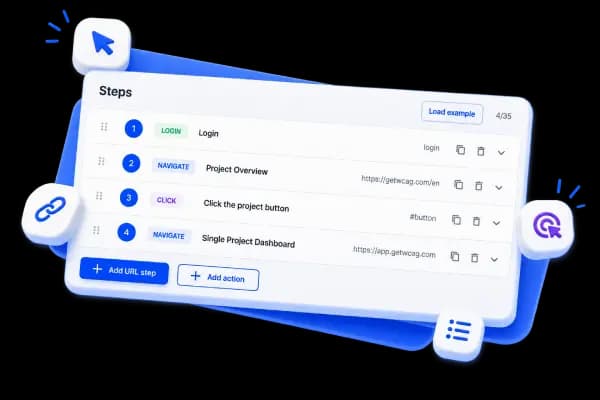
Define Your User Journeys
Map out critical user paths: category → product → checkout, blog post → newsletter signup, landing page → demo request, etc.
Run Comprehensive Scans
GetWCAG tests every page in the journey with support for authenticated flows. Supports form-based login and basic auth to test protected pages, and creates a recording so teams can validate what was scanned and how the flow was executed.
Fix & Monitor
Fix issues with priority guidance, then schedule recurring scans to ensure each journey stays accessible.
What User Journey Scanning Helps With
- Finds accessibility blockers in critical user tasks
- Improves completion rates by removing barriers in real journeys
- Keeps critical templates healthy across releases with scheduled scans
- Detects regressions early before they impact users
- Test authenticated user journeys with form-based login, basic auth, and flow recordings
Key Benefits for Your Business
Reduce task failure by validating full user flows instead of isolated pages
Improve form, navigation, and interaction accessibility across each step
Monitor compliance with accessibility standards (WCAG 2.2, EAA, ADA) across complete user journeys
Get journey-specific reports that show exactly where users get blocked
Start Testing Your User Journeys Today
Discover accessibility barriers in real user journeys and fix them with clear, step-specific guidance.