
GetWCAG accessibility scanner logo

Manual Accessibility Testing for WCAG 2.1 and 2.2

Automated scans find many accessibility issues, but not all of them. Use a shared manual testing workflow to evaluate WCAG requirements, record what your team observed, and create reports people can review.

GetWCAG supports manual testing at WCAG conformance levels A and AA. Choose WCAG 2.1 or 2.2, work through the criteria, and keep your findings alongside the rest of your accessibility work.

Manual test records support assessment and communication; they do not certify legal compliance or replace expert judgement.

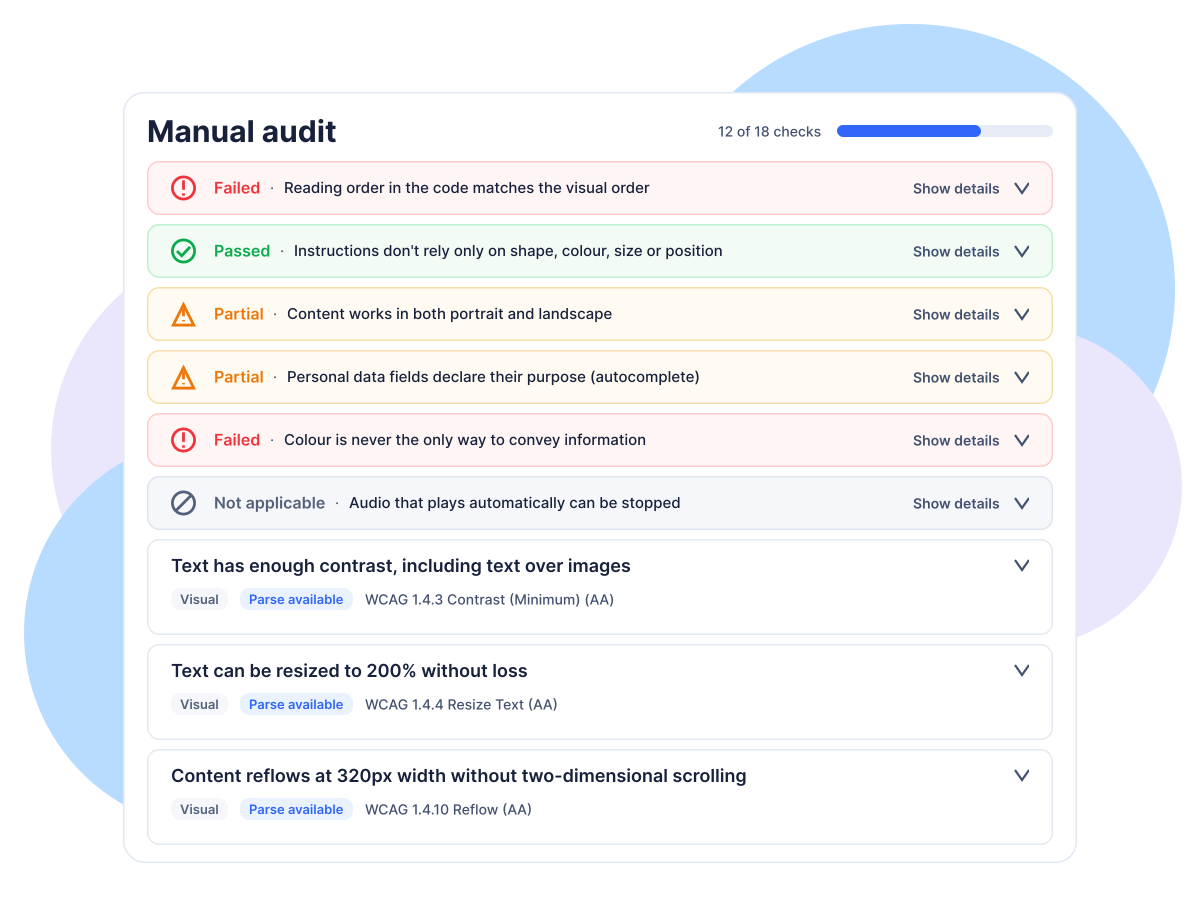
GetWCAG manual WCAG checklist dashboard with test criteria and results

Why manual accessibility testing matters

An automated accessibility checker can flag patterns such as missing names, invalid markup, or contrast concerns. It cannot determine whether a person can complete a checkout using a keyboard, whether focus moves in a sensible order, or whether instructions make sense when encountered with assistive technology. Those questions require people to test the site in context.

A manual WCAG test gives a team a repeatable place to record those findings against specific success criteria. Combining automated scans with manual evaluation provides broader coverage than either method alone. It also makes clear which checks were evaluated, what needs attention, and where evidence is still missing.

A documented manual WCAG testing workflow

Keep the scope, observations, and output of a manual accessibility assessment together instead of scattering them across spreadsheets and documents.

  1. 1. Set the test scope

    Select WCAG 2.1 or 2.2. For a site-level review, choose up to 50 representative URLs; for a focused review, use the checklist on a single-page audit.

  2. 2. Record how testing was done

    Add the tester, test date, browsers and devices, assistive technology, and notes so readers understand the context of the evaluation.

  3. 3. Evaluate each criterion

    Mark each WCAG A or AA check Pass, Partial, Fail, or Not applicable. Checks without a result remain Not Evaluated, keeping incomplete coverage visible.

  4. 4. Document findings and share

    Add comments and identify affected sample pages for Partial or Fail results. Export a PDF or HTML ACR, or publish a shareable snapshot for stakeholders.

What the manual testing feature includes

A structured WCAG checklist

Each check includes an explanation, testing steps, and a link to the relevant W3C Understanding document. Filter results by status, principle, or category and track progress.

Team review and evidence

Comment on individual checks, mention colleagues, and note which sampled pages are affected. Viewers can review results without editing them.

Reports for stakeholders

Create a site-level PDF or VPAT-style HTML Accessibility Conformance Report. Publish a snapshot, then update it deliberately when you want the public report to reflect newer findings.

Manual accessibility testing FAQs

What is manual accessibility testing?

Manual accessibility testing is a human-led evaluation of a website against accessibility requirements. A tester checks interactions and content in context, records evidence, and documents results that automated tools cannot reliably determine.

Can an automated accessibility scan replace manual testing?

No. Automated scans efficiently identify many detectable issues, but they cannot judge every interaction, reading order, task flow, or whether assistive-technology use is understandable. Use automated and manual testing together.

Which WCAG versions and levels does GetWCAG manual testing cover?

The manual testing checklist supports WCAG 2.1 and WCAG 2.2 at conformance levels A and AA. Selecting WCAG 2.1 removes criteria introduced in WCAG 2.2.

Can I test a sample of pages rather than my whole website?

Yes. A site-level manual test can include up to 50 representative page URLs. You can also run the checklist for a single-page audit.

What can I share after completing a manual test?

Export a site-level PDF or VPAT-style HTML Accessibility Conformance Report. You can publish a shareable report snapshot and update it when the test results change.

Bring manual WCAG testing into your accessibility workflow

Pair automated scans with documented manual checks, then share clear findings with the people responsible for fixing and reviewing them.

Start with GetWCAG
Manual Accessibility Testing for WCAG 2.1 & 2.2 | GetWCAG