Platform capabilities for accessibility teams
GetWCAG combines automated scanning, developer-focused remediation, and continuous monitoring so teams can manage WCAG 2.2, EAA, ADA, and EN 301 549 compliance as an ongoing program, not a one-time project.
Automated Accessibility Scanning
Run complete website scans in minutes, from a few pages to full domains. GetWCAG checks against WCAG 2.0, 2.1, and 2.2 criteria and highlights issues across structure, contrast, ARIA, forms, and content.
Ideal for teams that need fast, repeatable discovery before manual validation and remediation planning.
Issues & Page Overview
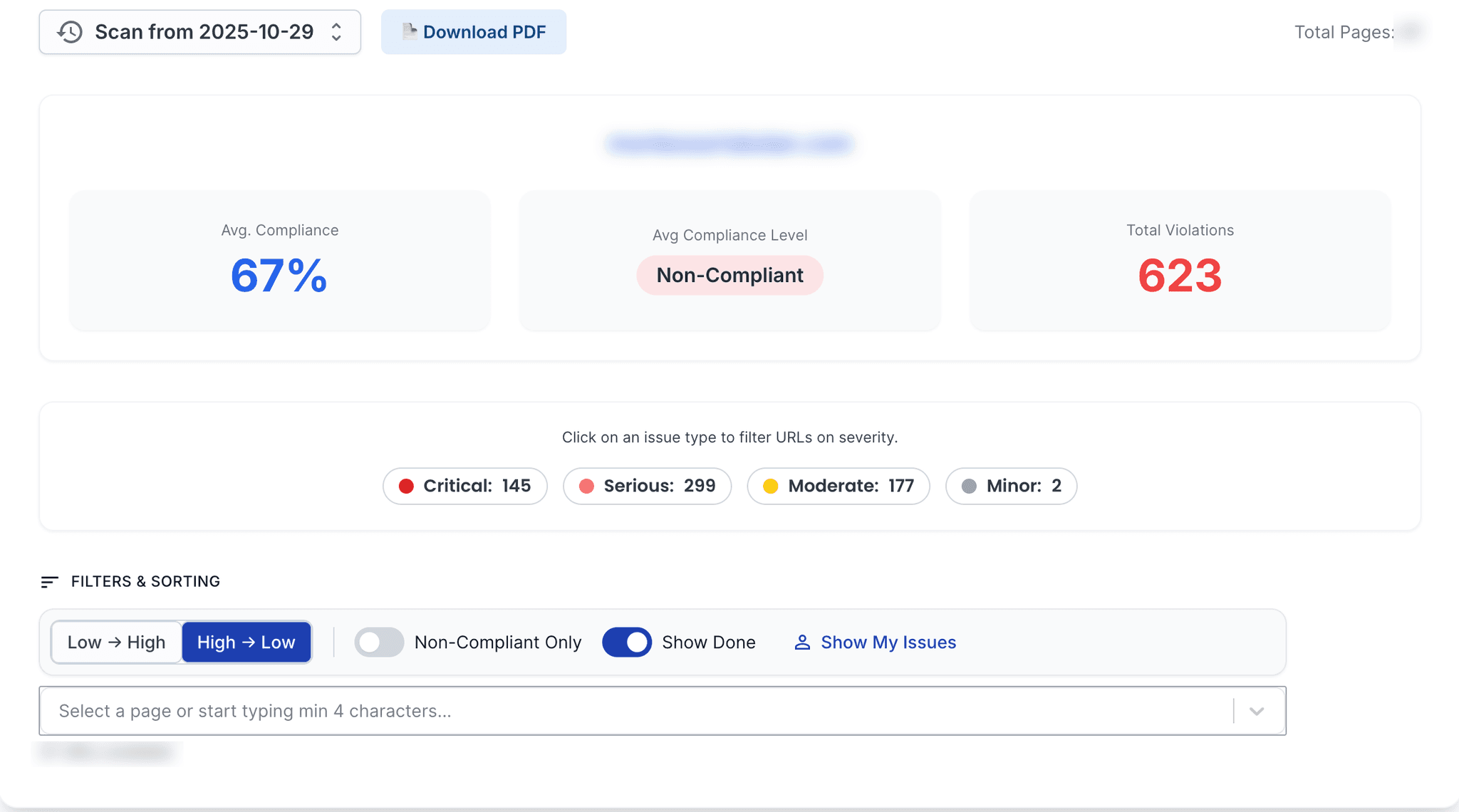
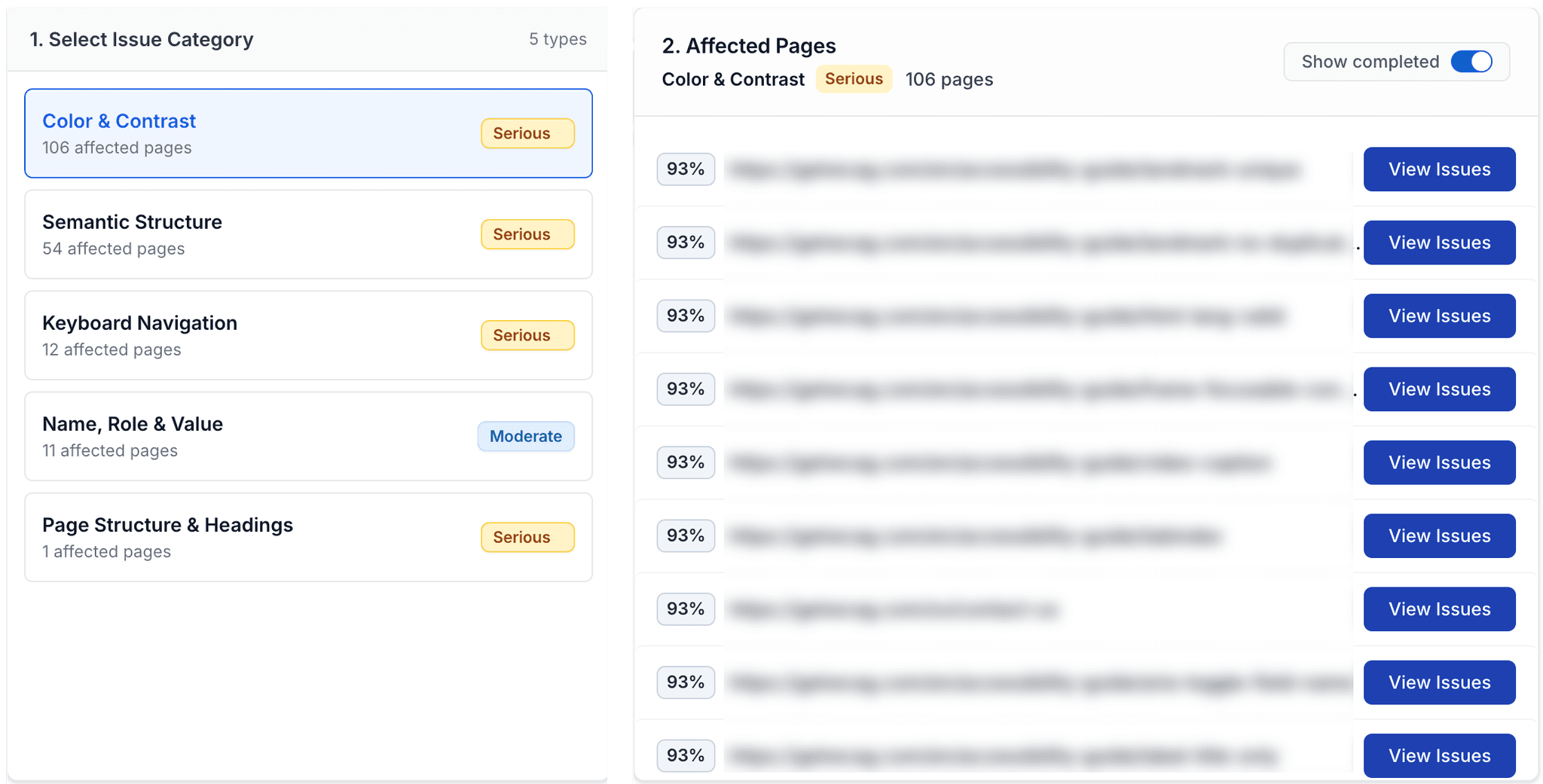
Understand accessibility health at a glance. Findings are grouped by severity, WCAG criterion, and affected page so teams can triage faster and focus on high-impact fixes first.
Each scan includes exportable evidence and dashboard history so you can show progress across audits, releases, and stakeholder reviews.
AI Assistance & Developer Mode
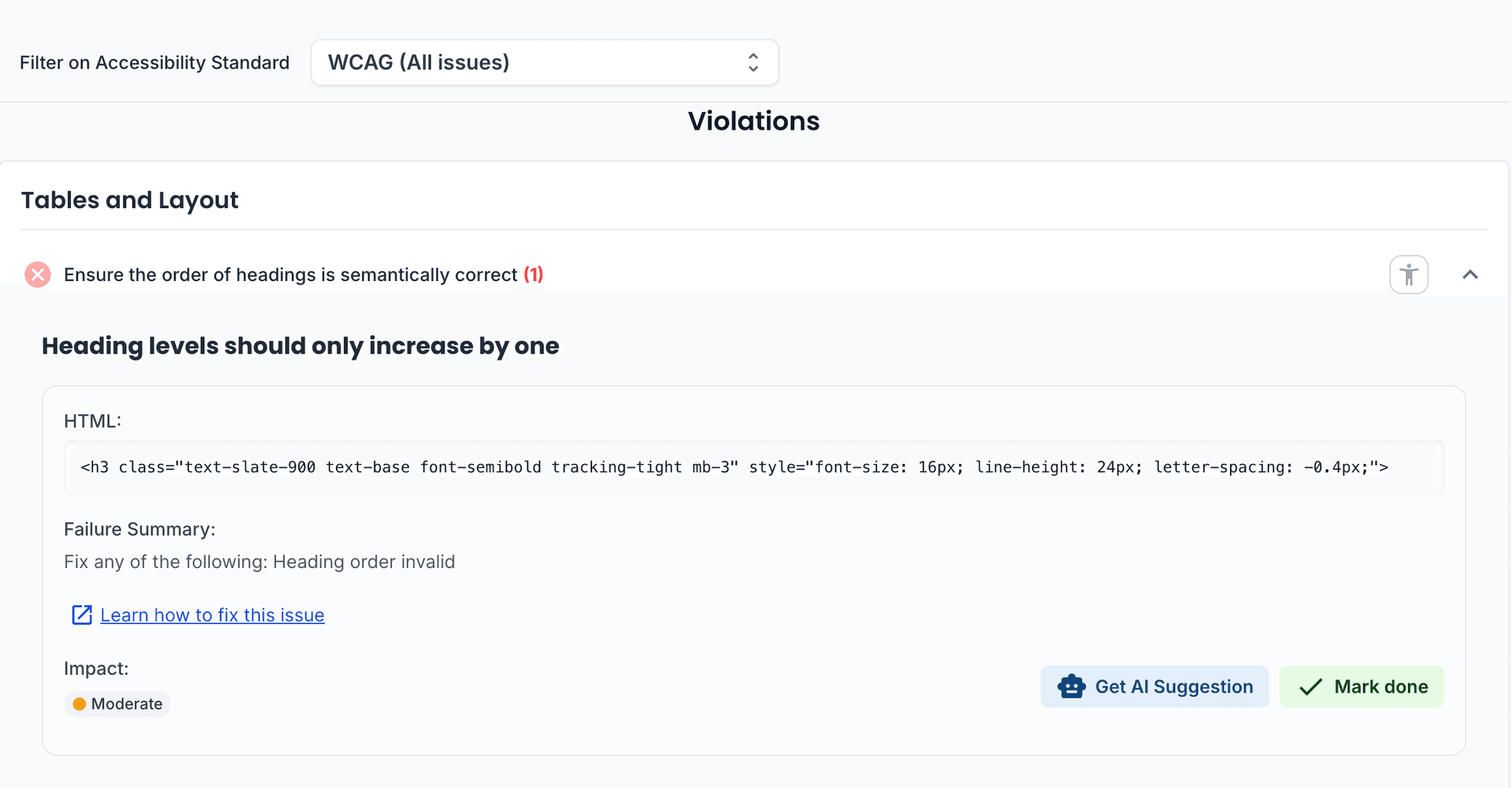
GetWCAG AI suggestions help teams understand likely fixes faster. Developer Mode groups code-level issues, links them to WCAG criteria, and supports clean handoff into engineering workflows.
Built for accessibility specialists, QA teams, and agencies managing multiple projects.
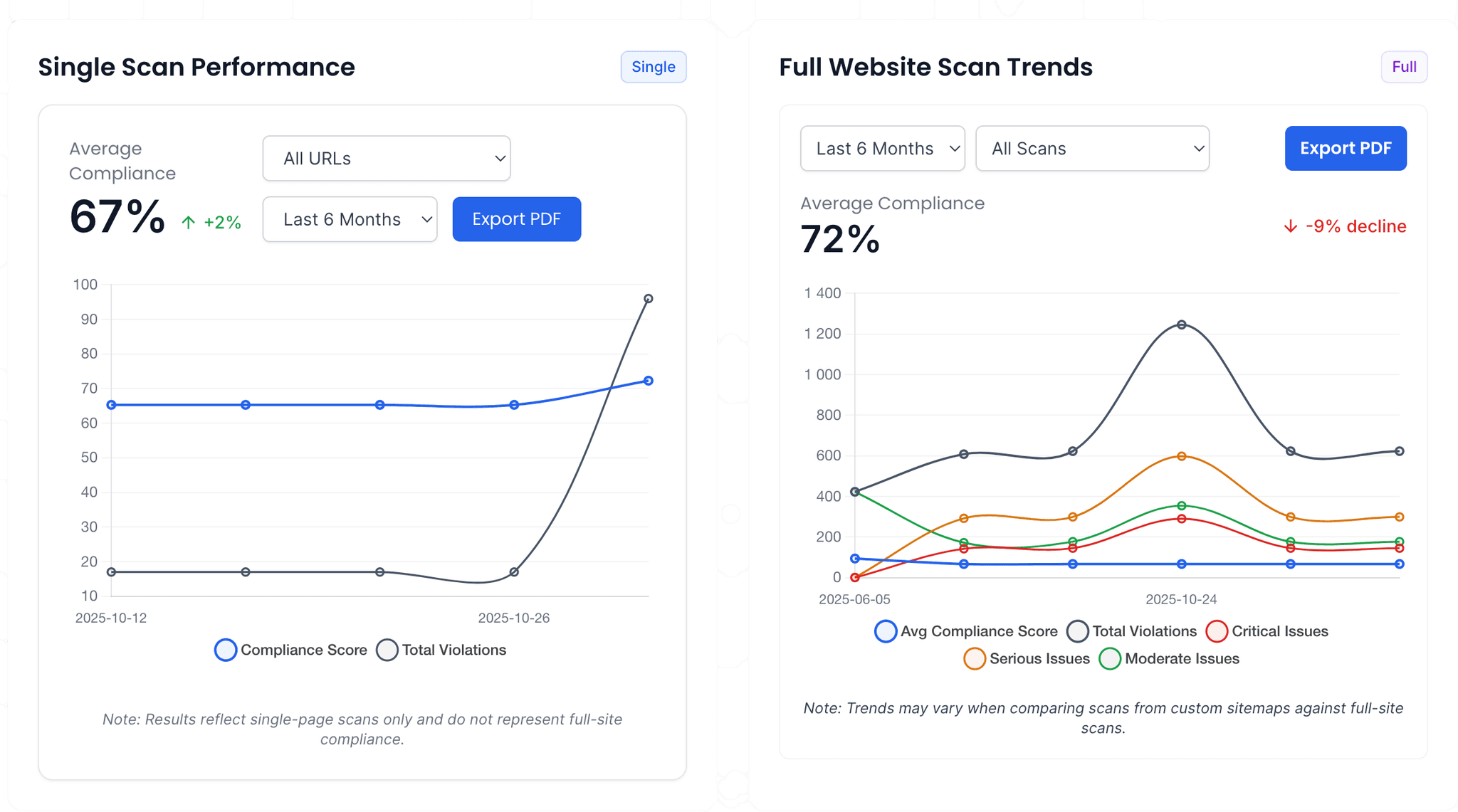
Continuous Monitoring & Team Collaboration
Schedule scans daily, weekly, or monthly and monitor accessibility performance over time. Assign owners, collaborate across teams, and integrate findings with delivery workflows such as Jira.
Built for organizations that need continuous accessibility monitoring, accountable remediation, and measurable compliance progress.
Everything You Need in One Platform
GetWCAG unifies scanning, prioritization, and reporting so teams can run accessibility as an operational workflow, not a one-off checklist.
Full Website Scanning
AI Accessibility Suggestions
Developer Mode
Downloadable PDF Reports
Scheduled Scans
Team Workspaces
Priority Queues
Pages Overview
Integrations
Accessibility Platform Comparison: Platform vs Single Scan
A single scan highlights immediate defects. An accessibility monitoring platform supports ongoing remediation, ownership, trend tracking, and compliance evidence. Most teams use both: scan for discovery and platform workflows for sustained accessibility operations.
| Dimension | Single Scan | Platform Workflow |
|---|---|---|
| Coverage model | Point-in-time snapshot | Continuous and scheduled monitoring |
| Issue lifecycle | List of findings | Triage, assign owners, verify, and close loop |
| Evidence for stakeholders | Basic report export | Trend history and role-based reporting |
| Team coordination | Ad hoc handoff | Shared ownership across product, dev, QA |
Examples of platform impact
- Detect repeated contrast regressions after every release.
- Route severe issues to engineering while QA validates fixes.
- Track unresolved blockers by product area and owner.
- Share audit-ready progress summaries with leadership.
- Export findings into Jira for issue tracking and sprint planning.
Limitations to acknowledge
- Even mature platforms do not replace expert manual and assistive-technology testing.
- Report quality depends on scan scope, templates, and crawl depth.
- Logged-in and multi-step user-flow coverage depends on configured journey scope.
- Compliance readiness also requires policy, procurement, and documentation controls.
- Findings still need remediation discipline and release governance.