Continuous monitoring
Scheduled scans keep checking key templates and journeys so regressions are caught before they become legal or user-experience risk.
Explore products and resources
PricingIntegrationsWebsite accessibility checker for WCAG, EAA, and ADA compliance. Find issues quickly, prioritize remediation, and start with a free scan to assess your site.
 Used by government agencies, municipalities, and companies to monitor and improve accessibility.
GetWCAG is a digital accessibility platform for organizations that need structured WCAG compliance workflows, from first scan to remediation and reporting. It supports WCAG, ADA, EN 301 549, and European Accessibility Act programs.
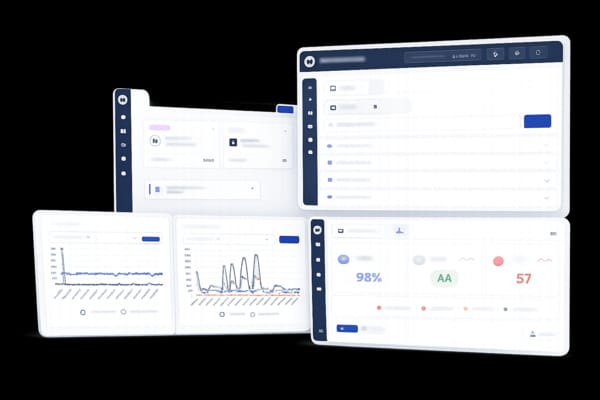
Scan full websites, selected URL sets, or specific domains. Each scan runs in a real browser context and groups findings by severity, affected user impact, WCAG criterion, and page.
Clear structure, transparent conformance visibility, and ongoing monitoring for organizations that need repeatable compliance operations beyond a one-time scan.
GetWCAG checks your site against key accessibility standards so teams can track requirements across regions.
Accessibility laws worldwide reference WCAG as the technical foundation.
Web Content Accessibility Guidelines
The internationally recognized technical standard for web accessibility, published by the W3C. WCAG 2.1 and 2.2 define Levels A, AA, and AAA across four principles: perceivable, operable, understandable, and robust.
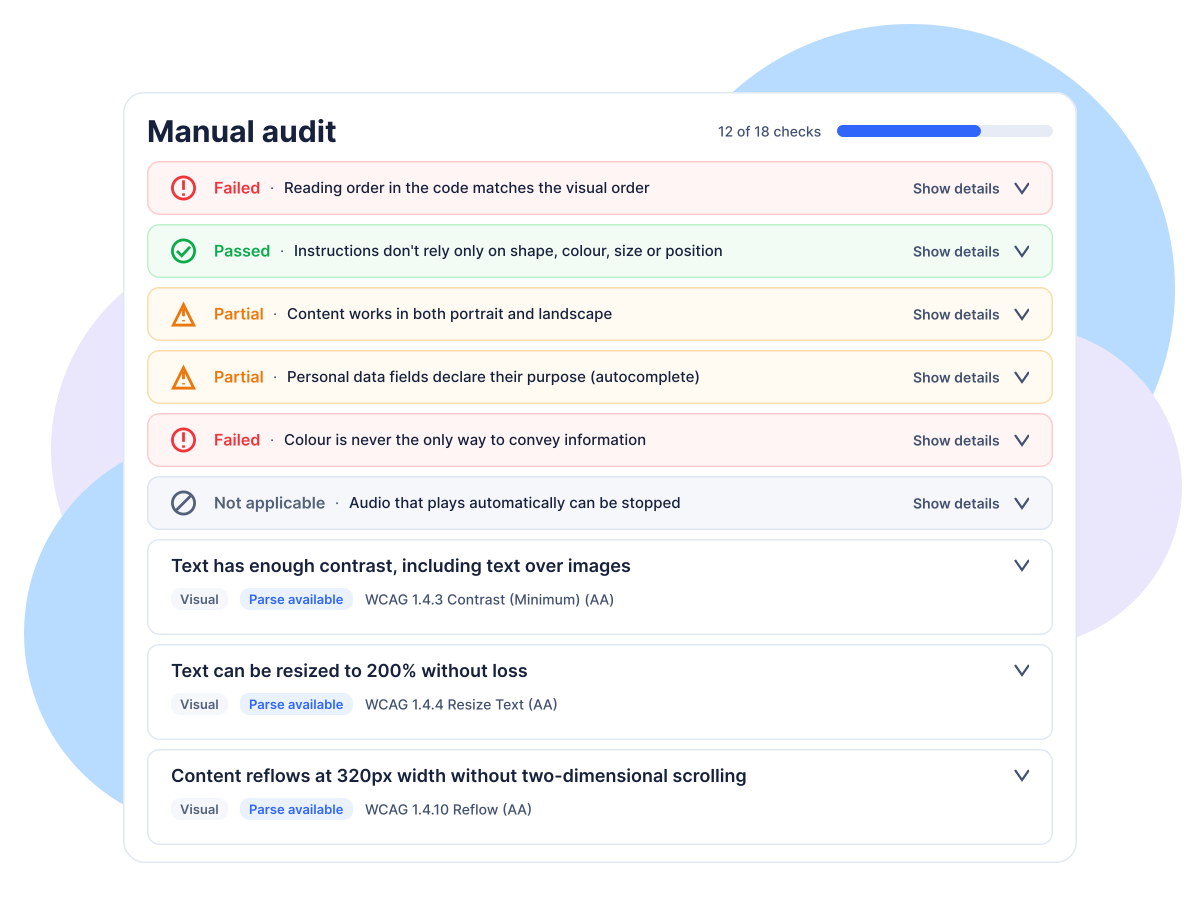
Automated scans catch many issues, but they cannot assess every user experience. Run a structured WCAG 2.1 or 2.2 manual test, record your team's results against A and AA criteria, and give stakeholders a clear report to review.
Get real-world feedback from a tester who uses screen readers and other assistive technology. Ask us about arranging a session.
These records document your team’s own assessment. GetWCAG does not independently verify the results, so they are not a guarantee of compliance.
GetWCAG is a website accessibility platform for teams that need repeatable WCAG compliance workflows, clear ownership, and measurable progress.
Use one platform for website accessibility testing, issue prioritization, and continuous monitoring. Start with the Website Accessibility Checker, validate critical flows with a Website Accessibility Audit process, then track remediation over time with evidence aligned to WCAG 2.2, EN 301 549, ADA, and the European Accessibility Act guide.
Scan thousands of pages quickly with high-throughput automated accessibility checks.
Our scanner scores accessibility compliance based on severity, helping teams prioritize critical fixes.
Schedule daily, weekly, or monthly scans and ensure ongoing compliance without manual effort.
Get actionable insights with downloadable reports that highlight violations and improvement recommendations.
Designed for agencies, enterprises, and municipalities, with multi-user collaboration and high-priority queues.
Stay audit-ready with compliance tracking and downloadable WCAG adherence reports.
The platform is designed for teams that need to move from detection to remediation and proof, with clear severity context, ownership, and reporting.
When evaluating accessibility platforms, what matters most is operational fit: can teams triage quickly, assign ownership, and prove progress over time? GetWCAG is structured for that workflow, with clear severity context, WCAG mapping, and reporting designed for engineering and compliance teams.
Full website scanning in minutes
Scan thousands of pages quickly with minimal setup for most teams.
Real browser-based scanning for accurate results
Tests run in a real browser, catching issues others miss entirely.
Structured, developer-ready reporting
Pinpoint the exact element, line, and fix, no guesswork.
Full page-level issue visibility
Drill into every page and see exactly what fails and why.
Clear and transparent conformance scoring
Severity scores so your team prioritizes what matters most.
Test authenticated user journeys and form-based login flows
Scan multi-step user flows across protected pages with form-based login and basic auth support.
Built-in accessibility statement generator
Publish an accessibility statement draft in minutes, then review before publishing.
Downloadable, audit-ready documentation
PDF reports ready to hand to clients or compliance teams.
Straightforward, transparent pricing
No enterprise lock-in. Plans that scale with your needs.
Third-party integrations
Push accessibility issues directly to Jira and more.
Full website scanning in minutes
Scan thousands of pages quickly with minimal setup for most teams.
Real browser-based scanning for accurate results
Tests run in a real browser, catching issues others miss entirely.
Structured, developer-ready reporting
Pinpoint the exact element, line, and fix, no guesswork.
Full page-level issue visibility
Drill into every page and see exactly what fails and why.
Clear and transparent conformance scoring
Severity scores so your team prioritizes what matters most.
Test authenticated user journeys and form-based login flows
Scan multi-step user flows across protected pages with form-based login and basic auth support.
Built-in accessibility statement generator
Publish an accessibility statement draft in minutes, then review before publishing.
Downloadable, audit-ready documentation
PDF reports ready to hand to clients or compliance teams.
Straightforward, transparent pricing
No enterprise lock-in. Plans that scale with your needs.
Third-party integrations
Push accessibility issues directly to Jira and more.
Ready to improve your website accessibility?
Start with 10 pages for free — no credit card required.
Scan PDFs against PDF/UA-1, PDF/UA-2, and PDF/A-2u, with WCAG mappings that help teams understand compliance risk faster.
See what affects users, share results across teams, and fix issues before the document is published or sent out.


Della & Lena
Built by a software developer and sales professional with a strong background in technology. Frustrated by everyday accessibility barriers, we built the tool we wished existed
GetWCAG supports full accessibility operations: automated scanning, manual testing workflows, monitoring, issue management, and reporting. Teams use the Website Accessibility Checker for discovery, the WCAG Color Contrast Checker for design QA, and the PDF accessibility checker for document compliance.
Use this homepage as your platform entry point, then move into purpose-built pages for each task: Website Accessibility Checker, Website Accessibility Audit, WCAG 2.2 checklist, WCAG guide, and European Accessibility Act guide. This keeps keyword ownership clear while giving users the shortest path to action.
Run a website accessibility scan, uncover WCAG issues, and track compliance progress from one simple platform.
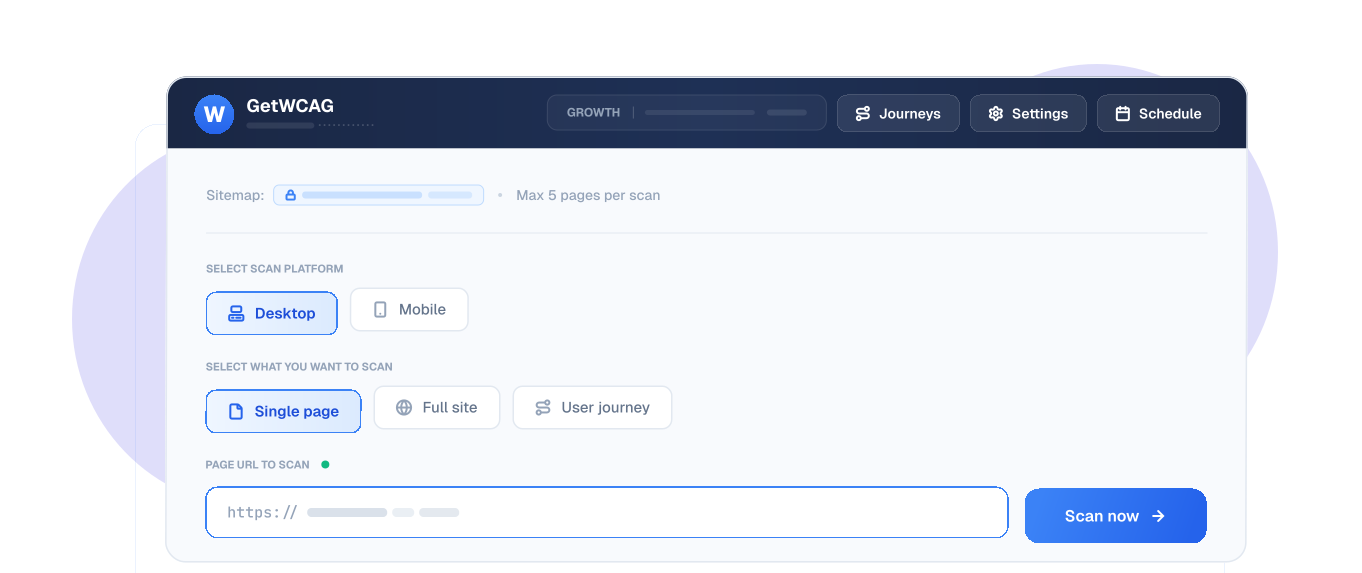
Enter a website URL or sitemap and launch a web accessibility audit in minutes. GetWCAG prepares each page for review without complex setup.
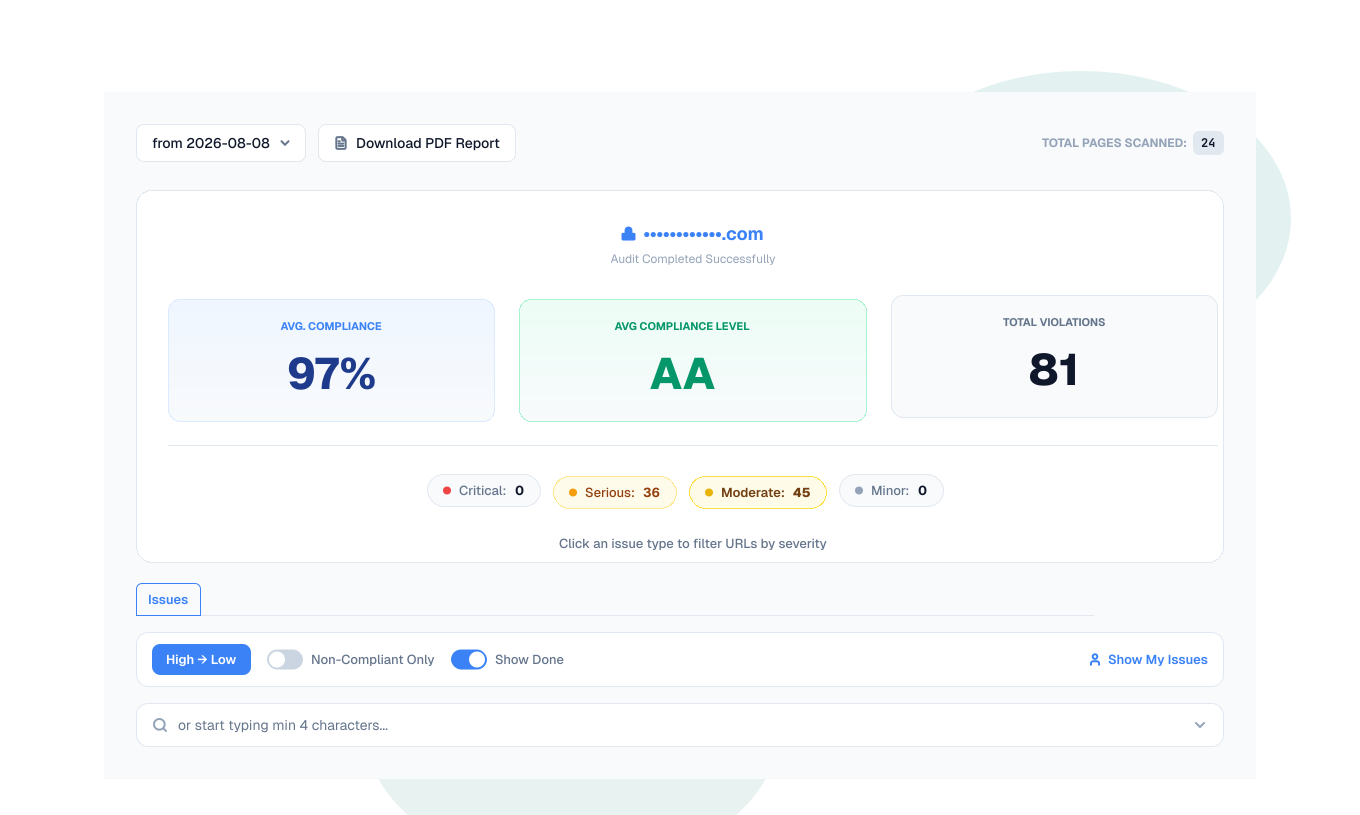
Run a full website accessibility scan or target a single page to identify WCAG issues quickly and prioritize fixes.
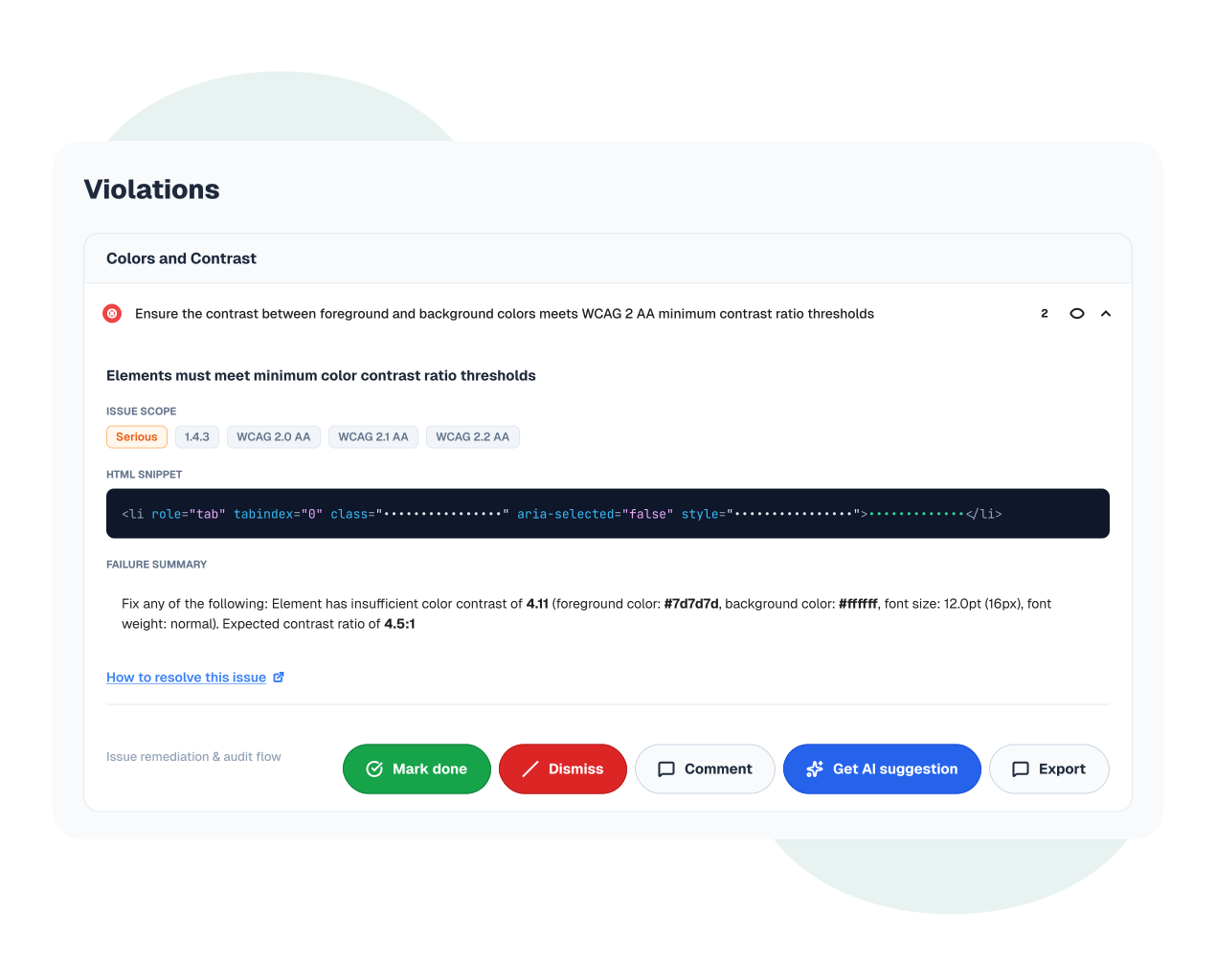
Explore detailed accessibility findings with severity levels, WCAG references, code examples, and practical remediation steps.
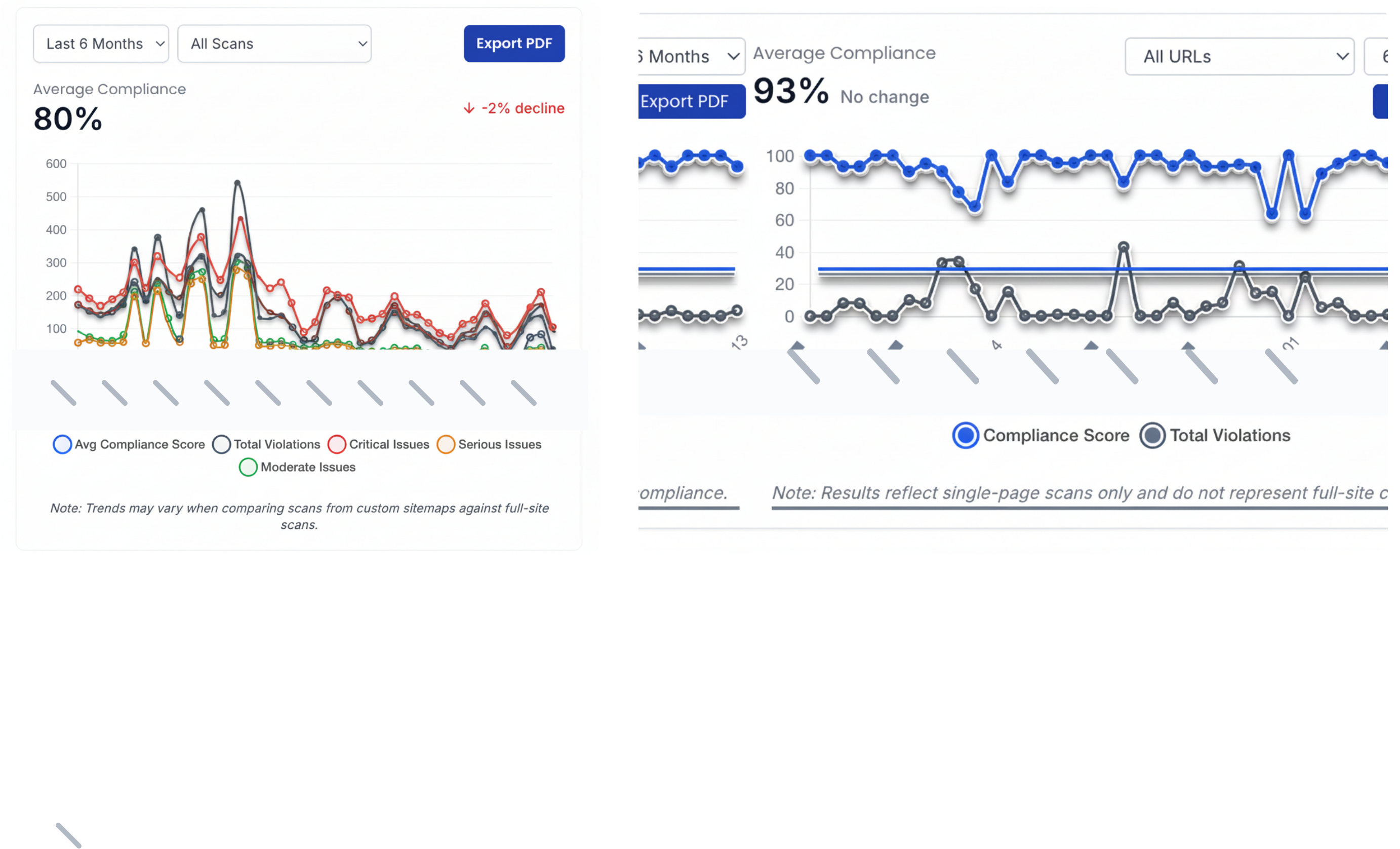
Schedule recurring scans and monitor accessibility trends so your team can improve compliance and maintain a more inclusive experience.
A web accessibility platform should do more than run one scan. GetWCAG helps teams monitor regressions, assign ownership, track fix progress, and prove compliance readiness over time across multiple websites and releases.
Scheduled scans keep checking key templates and journeys so regressions are caught before they become legal or user-experience risk.
Share findings across design, engineering, QA, and compliance teams with severity context and remediation ownership.
Track domains, subdomains, and product surfaces in one platform, including trend history and reporting for each area.
GetWCAG Workspaces let you organize scans, share results, and collaborate across teams, so everyone stays aligned on accessibility progress.
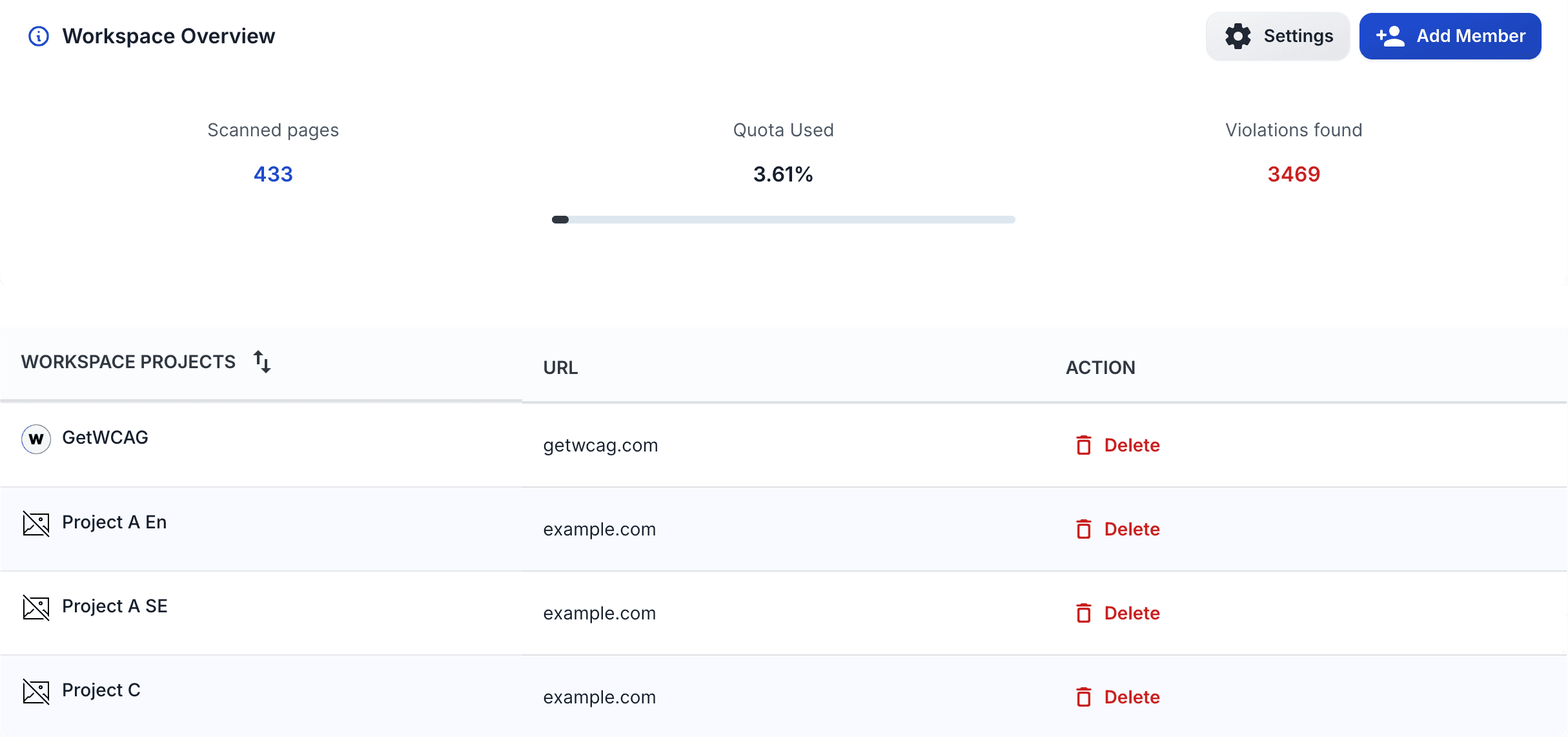
GetWCAG combines automated and manual accessibility testing workflows. Use the Website Accessibility Checker to detect machine-testable barriers, use a Website Accessibility Audit workflow for manual verification, and use the WCAG 2.2 checklist to standardize remediation and retesting.
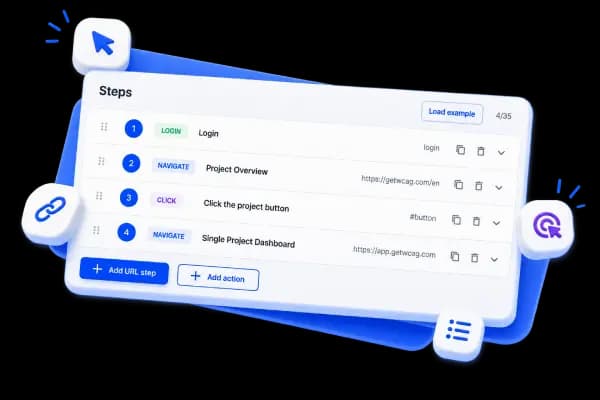
User Journey scanning validates accessibility across the complete paths users take to accomplish real tasks, from entry through conversion. It traces critical flows like category → product → checkout or blog → signup, with support for authenticated experiences (form-based login and basic auth). Unlike page-by-page testing, journey-based scanning reveals accessibility barriers that break user workflows: broken navigation, form accessibility issues, and interaction problems that prevent task completion. These barriers frustrate all users but disproportionately impact those using assistive technology.
Monitor accessibility across real user paths so people can complete tasks without friction.
Read the full study with real violation data, rule-by-rule impact, and key patterns observed across the scanned homepages.
Homepages
100
Violations
847