Stop chasing the same accessibility error page by page. GetWCAG groups every repeated WCAG issue across your site, shows your team exactly how to fix it and tracks every fix from scan to scan.
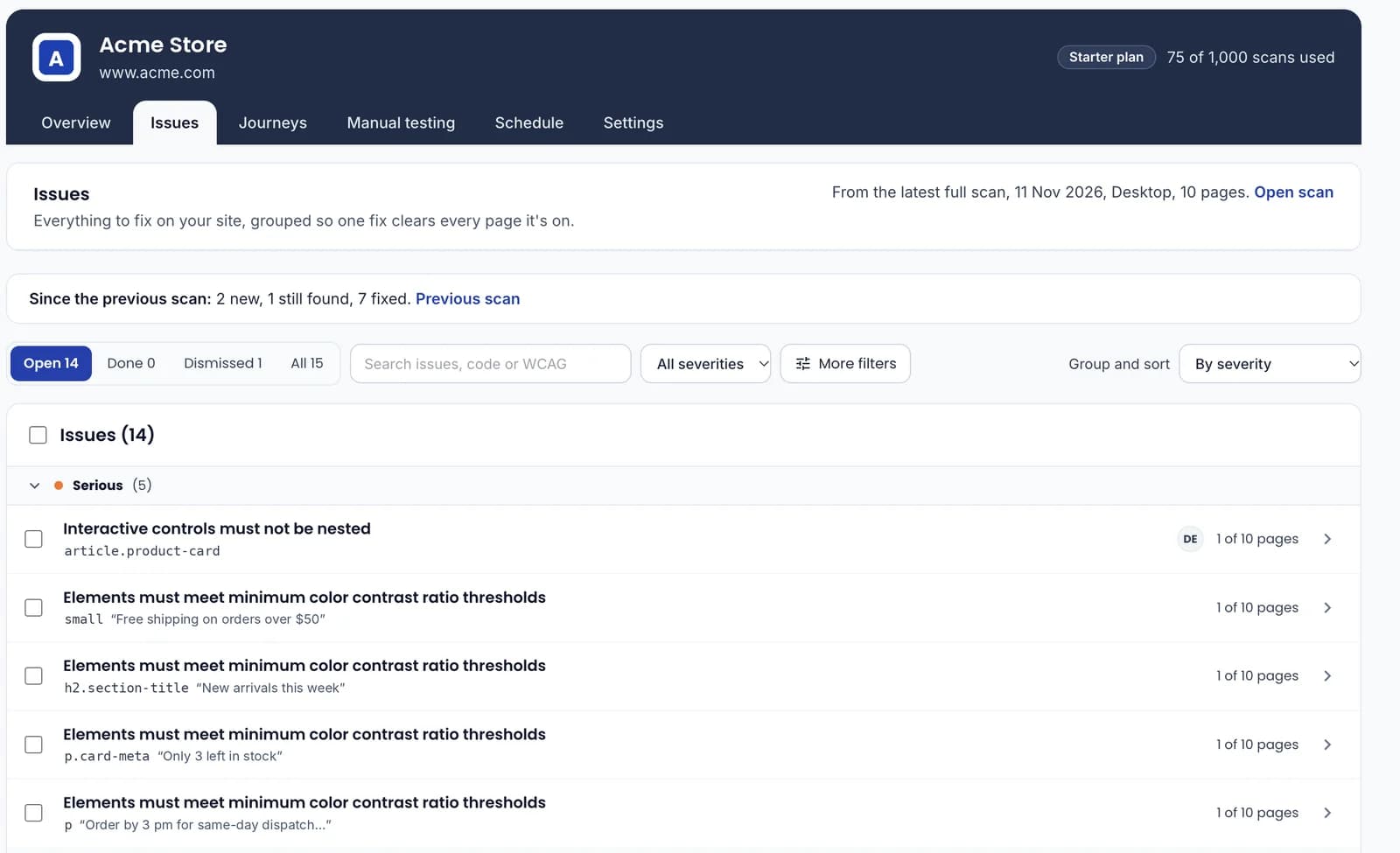
One shared header, cookie banner or product card can repeat the same error on hundreds of pages. A raw report lists every copy. GetWCAG shows it once, with every page it affects, so one code change clears them all.
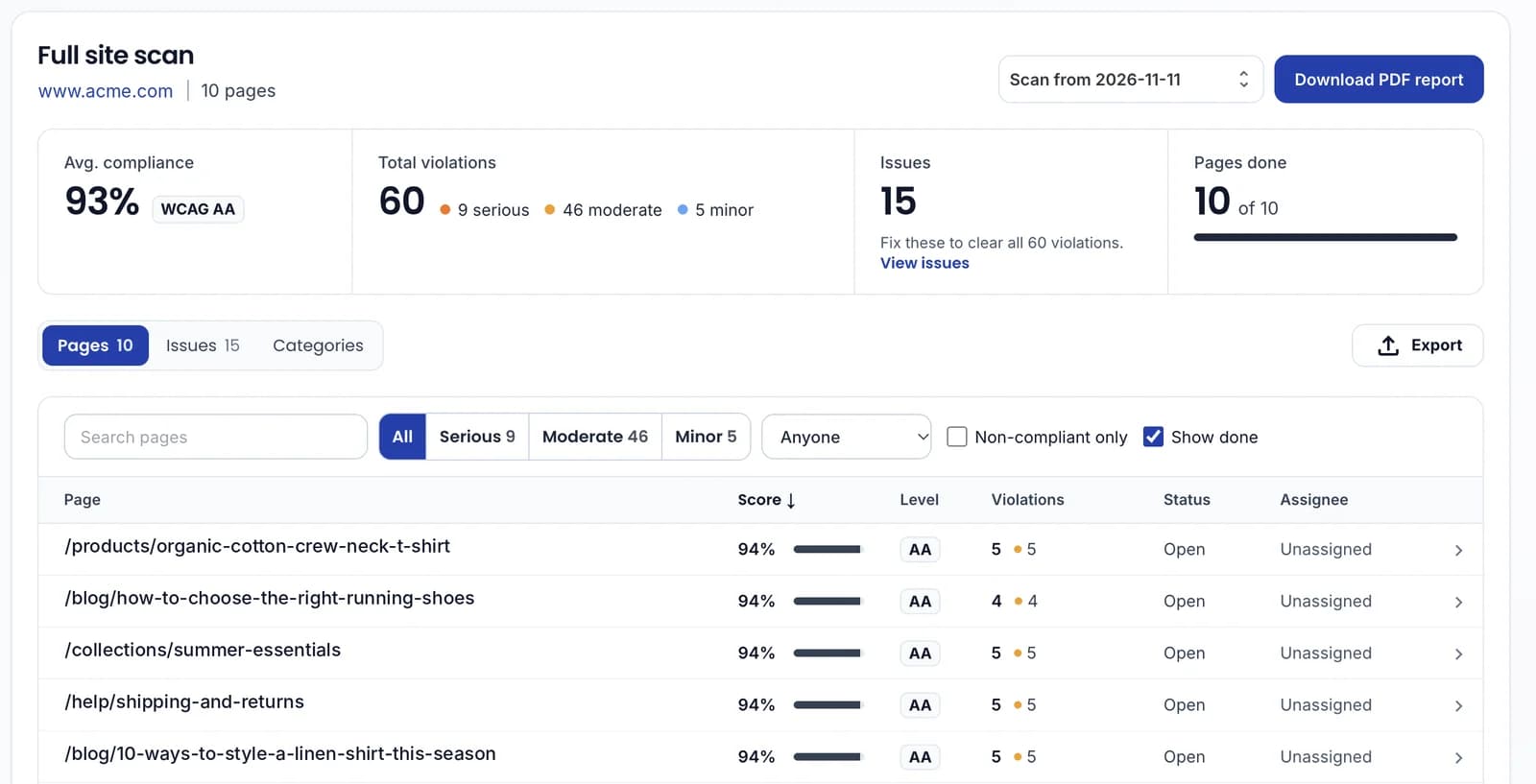
60violations across 10 pages
→
15issues to fix
Example from a 10-page scan.
Everything your team needs to fix accessibility faster
One issue, every page it's on
Repeated problems are grouped by the code that causes them. See how many pages each fix clears and start where it counts.
Ranked by severity and by how many pages one fix clears
Group by severity or by category, like contrast or forms
Filter by WCAG criterion, pages affected or owner
Know exactly what to fix
Every issue comes with the failing code, the pages it's on, why it fails and a step-by-step fix, plus an AI suggestion you can copy.
Jump from an issue straight to the element on each page
Selector, HTML and failure summary built for developers
AI fix suggestion with corrected code
Made for teams
Assign owners, talk it through in one thread and close dozens of issues in a single click.
Assign issues and filter by Assigned to me
Mark done, dismiss or reopen in bulk
One comment thread per issue, with @mentions
Progress that never resets
Each new scan picks up where the last one left off. See what's new, what's still there and what you fixed.
New issues are flagged the moment they appear
Marked done too soon? It reopens as Still found
Owners, comments and Jira or GitHub links carry over
Your whole site in one clear view
Score, WCAG level, violations and owner for every page, built to stay fast on sites with thousands of pages.
Filter by severity, owner or non-compliant pages
See the fixes that clear the most pages first
Pages that couldn't be scanned are flagged with a fix
Prove your progress
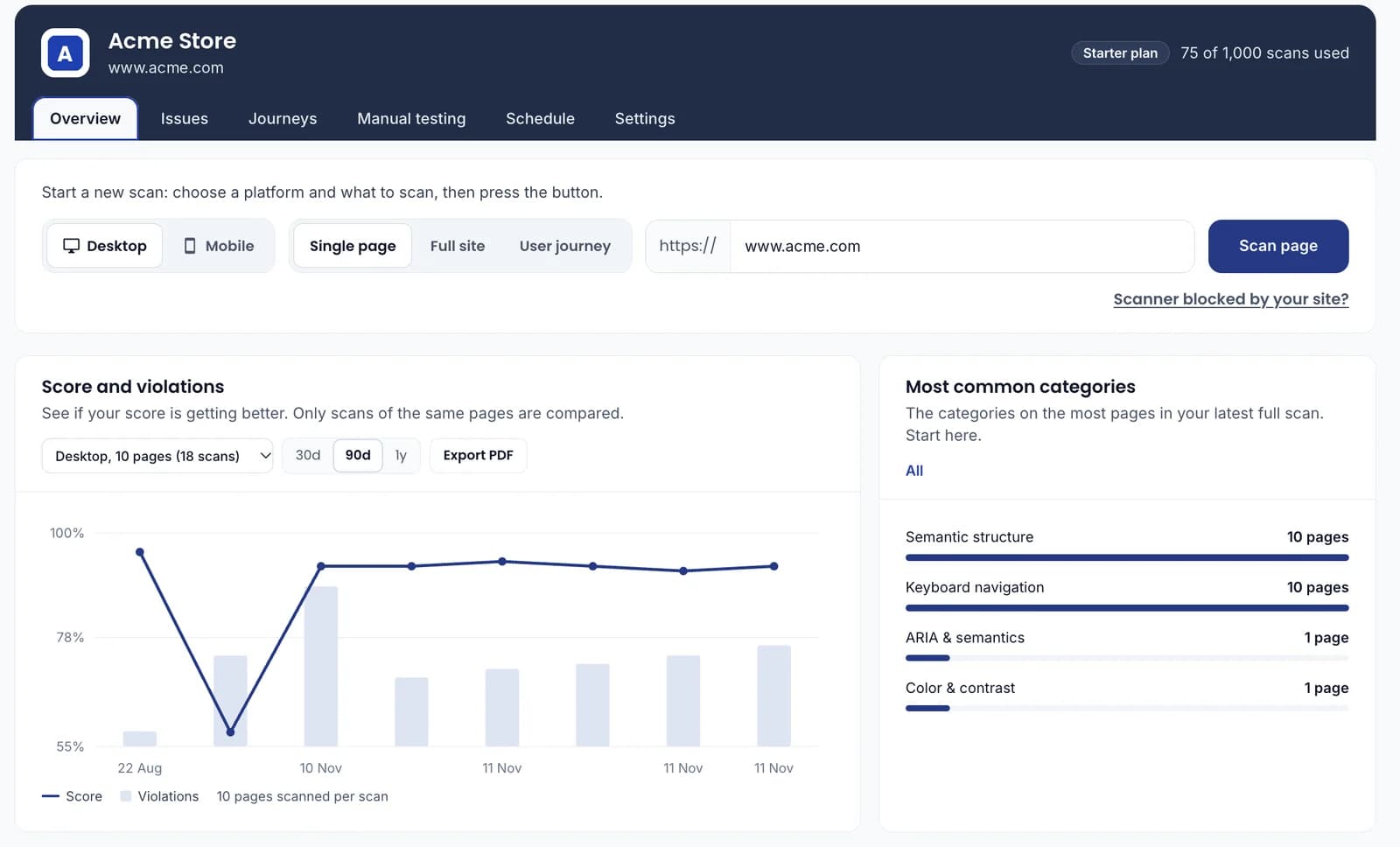
Watch your score climb scan after scan, see which categories hold you back and share a PDF report with stakeholders in seconds.
A score trend that compares like with like
The most common categories in your latest full scan
PDF reports for the whole site and for single pages
Fits right into your workflow
Send any issue to Jira or GitHub as one ticket that lists every affected page. Developers fix it once, and the next scan confirms it.
Run a full site scan. GetWCAG checks every page against WCAG 2.2 and groups repeated issues for you.
Step 2
Fix what matters most
Start with the issues that clear the most pages, assign owners and follow the fix guidance.
Step 3
Rescan and see the difference
Scan again to confirm your fixes. Progress, owners and comments carry over automatically.
Frequently asked questions
What is accessibility issue tracking?
It means managing accessibility problems as a team: finding them, deciding what to fix first, assigning owners and confirming fixes. GetWCAG does this for WCAG issues across your whole website.
What is the difference between an issue and a violation?
A violation is one failing element on one page. An issue groups every violation caused by the same code, so one fix can clear it on every affected page.
What happens to my progress when I scan again?
Each new full scan is compared with the previous one. Status, owners, comments and exported tickets carry over. Issues marked done that are found again reopen as Still found.
Can I export issues to Jira or GitHub?
Yes. Each issue can be exported to Jira or GitHub as one ticket that lists every affected page.
Does automated testing make my site fully WCAG compliant?
No automated tool can confirm full conformance. Automated scans find many common issues; combine them with manual testing, which GetWCAG also supports, for full coverage.
Ready to fix it once?
Scan your site and get your first list of grouped issues in minutes.