Introduction
Developers and product teams often treat accessibility as a pre-launch checklist item — something you do after the site is “finished.” But that mindset creates costly rework, slows launch velocity, and leaves legal compliance until the last minute.
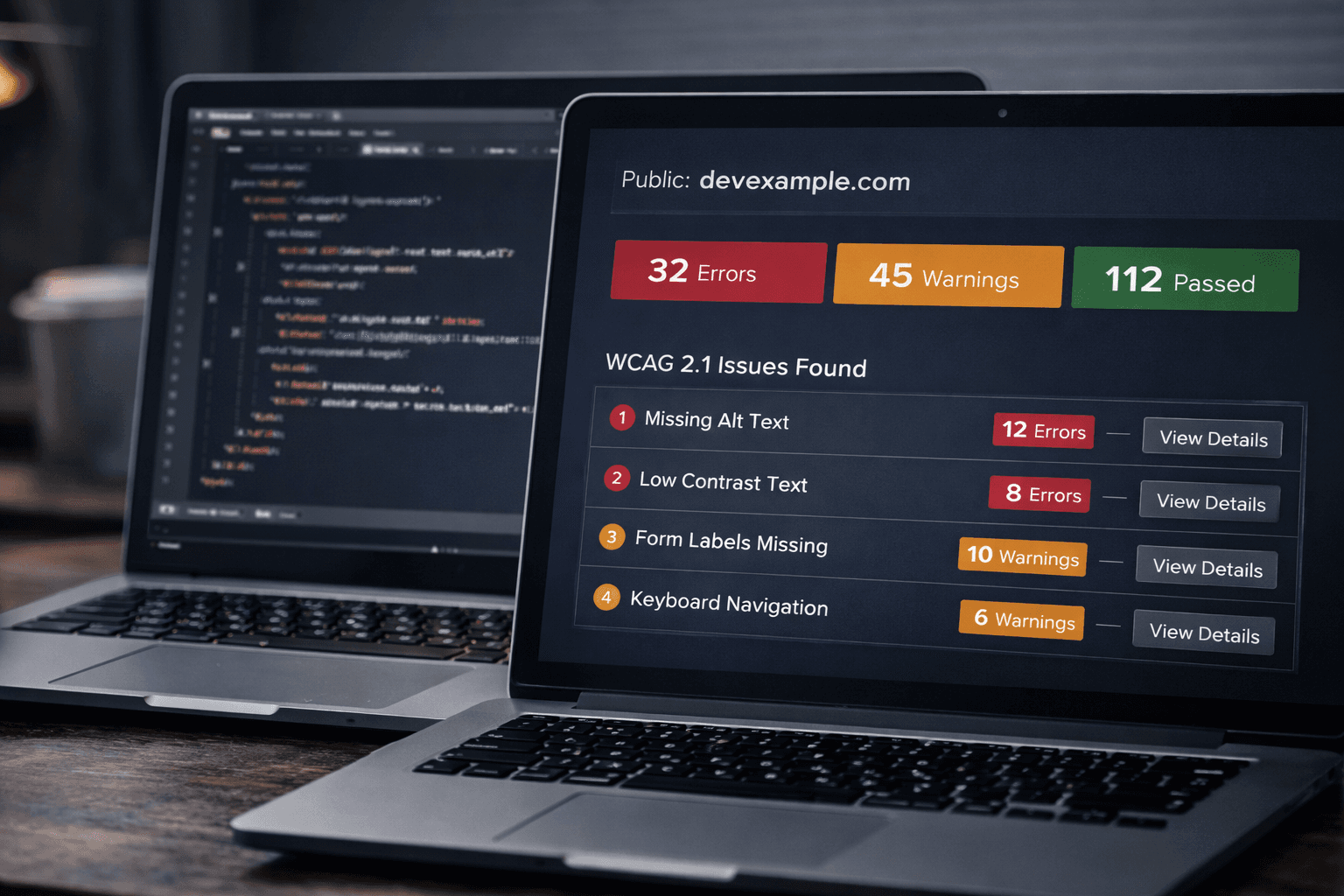
One of our customers shared a smart developer workflow that lets you scan your site for WCAG issues while it’s still in active development — using a public HTTPS URL to expose your dev environment and run GetWCAG scans in real time.
This approach:
- Speeds up accessibility fixes before they pile up
- Surfaces issues early when they’re cheapest to fix
- Improves teamwork between devs, QA, and product
Here’s how it works — and how you can adopt the same workflow.
(Keep reading — this tactic might save you weeks of debugging later.)
Why Accessibility Should Be Tested Before Deployment
Accessibility isn’t just a legal requirement — it’s a quality and SEO signal.
- Accessibility improves UX for all users, not just those with disabilities like vision or motor impairments. Reduced friction leads to lower bounce rates and stronger engagement — which can improve rankings.
- WCAG 2.2 is increasingly becoming the standard for digital products under laws like the European Accessibility Act (EAA).
- Manual testing alone catches around 40% of issues; automated scanners help you find the easy problems before you ship.
But to catch issues early, you need a real URL you can scan — not just a localhost development server.
The Dev-Friendly Trick: Public HTTPS Tunnels
Most devs build locally — localhost:3000 — but accessibility scanners (and social crawlers) can’t reach that URL. The solution is to use a public HTTPS tunnel that points to your local dev server.
This gives you:
✔️ A real HTTPS URL accessible from anywhere
✔️ A way to scan your dev site with GetWCAG before launch
✔️ Immediate feedback on accessibility violations
Developers typically use tools like:
- Cloudflare Tunnel — secure, reliable, free HTTPS URL
- ngrok — easy public URL for any port
- LocalTunnel — quick and simple npm-powered public link
- Expose — open-source public HTTPS tunneling
Each tool lets you expose your dev server to an HTTPS domain you can scan with GetWCAG in real time.
Pro tip: Using a real HTTPS public URL ensures accessibility crawlers see your content exactly as they will in production, including headers, redirects, and assets.
How GetWCAG Fits Into Your Dev Workflow
Once your dev site has a public HTTPS URL, you can integrate it into your accessibility workflow:
1. Run Scans Before Deployment
Enter your HTTPS dev link into GetWCAG’s scanner to:
- Detect WCAG 2.1 & 2.2 issues early
- Get severity-ranked errors with remediation guidance
- Download reports you can share with the team
This turns accessibility from a “post-launch hurdle” to part of your CI/CD feedback loop.
2. Track Progress Over Time
GetWCAG dashboards let you:
- Monitor issue trends
- Prioritize high-impact fixes
- Track improvements as pages evolve
This visibility makes accessibility an ongoing quality metric — not an afterthought.
Real Customer Workflow: Scan, Fix, Repeat
One engineering lead shared this workflow:
Use Cloudflare Tunnel to expose
localhostwith HTTPSPoint GetWCAG at the tunnel URL every morning
Fix issues before commit or PR review
Run a final test on staging before release
Result? Accessibility issues were caught before anyone saw them in production — and the team cut accessibility bugs by over 60% before launch.
SEO + QA Wins from Early Accessibility Scanning
Scanning early isn’t just good practice — it can boost your SEO and QA outcomes:
Early fixes reduce regression risk
Fewer alert fatigue tickets for QA teams
Accessibility fixes often improve structure and semantics, which help SEO
Scannable links help bots validate content before launch
Conclusion
Scanning for accessibility while you’re building — not after — is the smart, modern way to deliver inclusive, high-quality web experiences. Using a public HTTPS URL and scanning early with tools like GetWCAG helps teams:
- Build accessibility into their workflow
- Fix issues while they’re inexpensive to correct
- Avoid legal and UX risks later
Give it a try on your next feature branch — expose a dev URL, run a scan, and watch problems disappear before launch.
Ready to turn accessibility into a development advantage? Start scanning with GetWCAG today.